Educational Articles
Colour Printing: CMYK vs RGB (Why Your Colours Change)
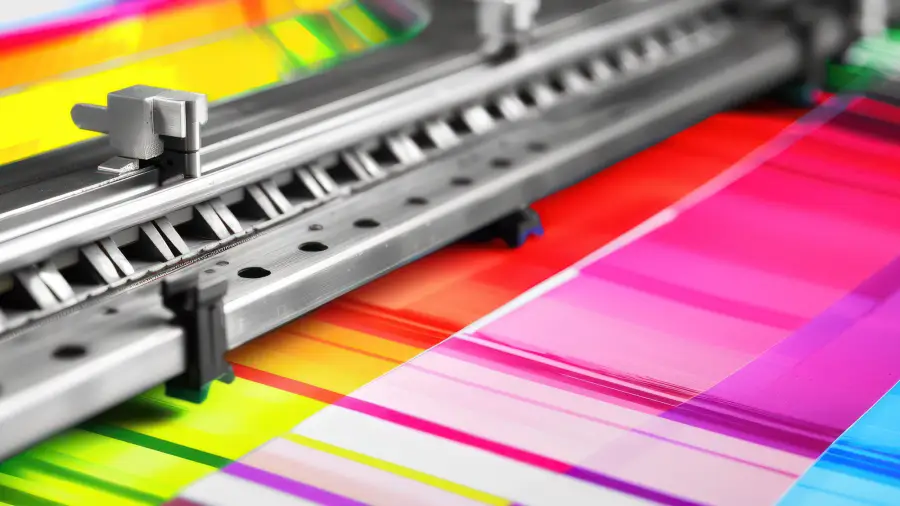
Colour Printing plays a critical role in the overall quality of any project, and understanding colour printing fundamentals is essential for achieving accurate and consistent results. When designers prepare a design for printing, the choice between CMYK and RGB directly impacts output accuracy, and if designers do not make this decision correctly, noticeable colour discrepancies can occur between the digital file and the printed result.
A large portion of colour variation issues in print originates at this stage, where designers create designs in a digital environment but produce them on physical paper. RGB performs better in display-based environments, but introduces limitations when applied to print workflows. In contrast, CMYK serves as the industry standard for printing and provides more precise control over colour reproduction.
If designers do not properly understand these differences, the final output may fail to align with the intended visual expectations of the designer or brand. This mismatch typically occurs due to incorrect colour conversion and misalignment between the design space and the print space, which can reduce the perceived quality of the final project.
This cluster examines how both colour systems operate, why colour shifts occur, and which factors influence final accuracy. The objective is to transform printing from an unpredictable outcome into a controlled and reliable production process.
Colour Printing: CMYK vs RGB Difference
Understanding the difference between CMYK and RGB is one of the most fundamental aspects of colour management in print projects. These two colour systems serve completely different environments, and this structural difference is the main reason behind colour shifts between digital designs and printed output.
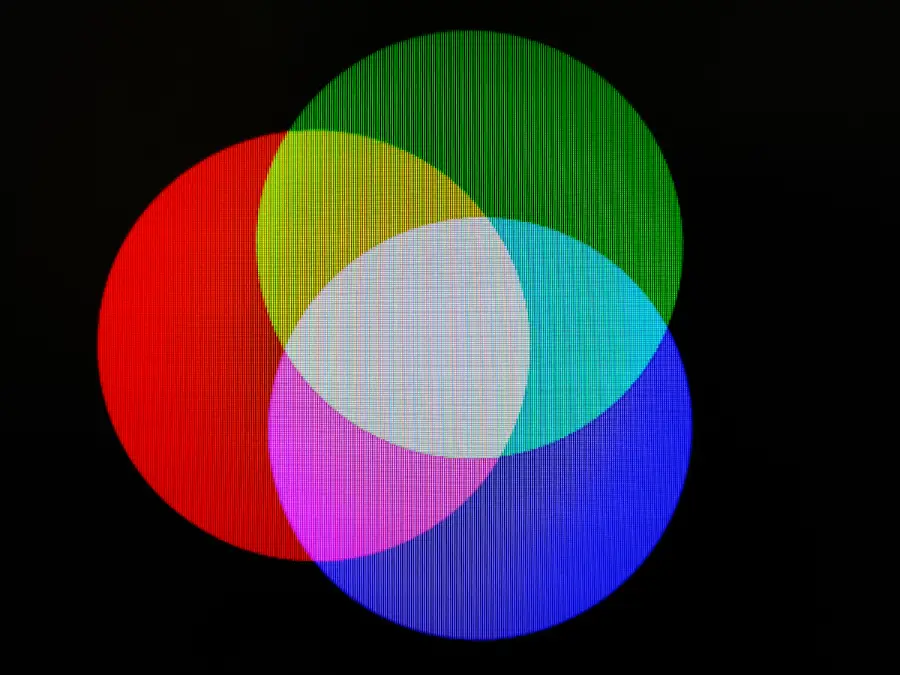
RGB is a light-based colour model used in screens, mobile devices, and digital interfaces. It generates a wide range of colours by combining red, green, and blue light, delivering highly vibrant and visually intense results in digital environments. As a result, designs viewed on screens often appear more vivid and saturated in RGB. In this stage, designers must also consider dpi requirements when preparing images, since resolution settings directly affect how accurately visual details will translate into print.
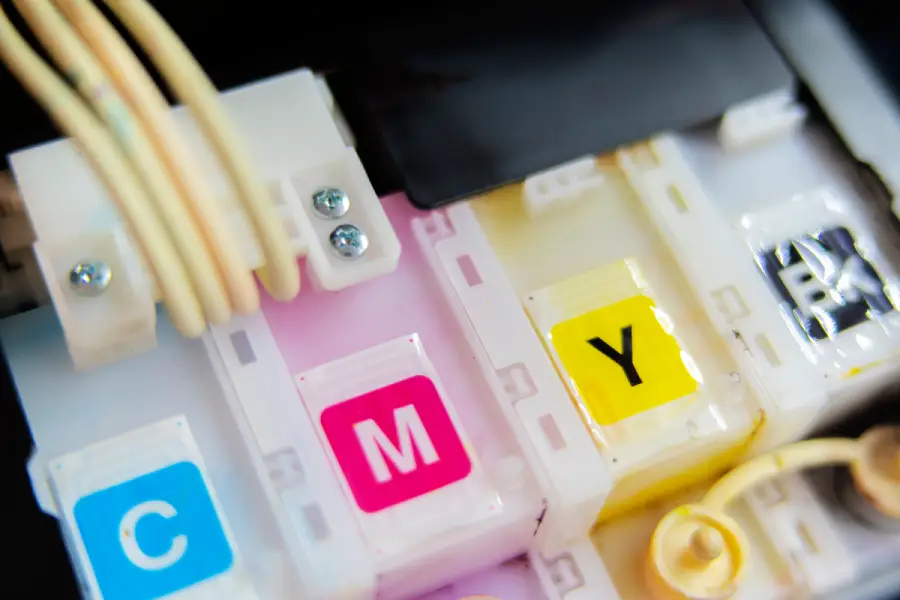
In contrast, CMYK is an ink-based colour model used in the printing process. It works by combining cyan, magenta, yellow, and black inks and applies them directly onto physical paper. Due to the physical limitations of ink and paper absorption, certain bright and highly saturated colours cannot be reproduced exactly in print.
The core difference between these two systems lies in how colour is created. RGB relies on additive light mixing, while CMYK depends on subtractive ink layering. This structural difference explains why colours often shift, soften, or lose intensity when transitioning from screen to print.
| Feature | RGB (Digital) | CMYK (Print) |
|---|---|---|
| Colour System Type | Light-based model | Ink-based model |
| Usage Environment | Screens, devices, digital design | Physical printing on paper |
| Colour Creation Method | Additive (light mixing) | Subtractive (ink absorption) |
| Colour Range | Wider, more vibrant spectrum | More limited colour gamut |
| Brightness Level | High brightness and saturation | Naturally more muted tones |
| Output Purpose | Digital display | Printed materials |
Why Colours Change in Printing?
One of the primary causes of this shift is the difference between light and ink in Colour Printing. In digital environments, colours are generated through light, and their brightness and intensity depend on backlighting. In contrast, printing forms colours through layers of ink applied to paper, and this process introduces physical limitations. As a result, some colours appear darker or less saturated in print. Understanding colour shift and fixes helps designers control unexpected changes between digital files and printed output.
Another key factor is colour space conversion in Colour Printing. When a file moves from RGB to CMYK, certain colours fall outside the printable range, and the system replaces them with the closest possible match. This adjustment can noticeably alter the appearance of colours, particularly in bright and highly saturated tones.
Paper type also plays a significant role. Glossy, silk, and matte papers each absorb ink differently, which directly affects colour intensity and clarity. In addition, printer settings, colour profiles, and ink quality all contribute to the final outcome.
Overall, colour change in Colour Printing does not result from a single issue. It comes from a combination of media differences, physical constraints, and technical settings that require coordinated control to achieve consistent results.
CMYK in Colour Printing Accuracy
CMYK plays a central role in controlling and reproducing colour in the printing process and serves as the industry standard for producing print outputs. This colour model specifically matches the physical conditions of print and enables more precise control over the final result.
In this system, designers create every colour by combining four primary inks, which makes the output more predictable. When designers build a design in the CMYK environment from the start, colours align with real printing limitations, reducing the risk of discrepancies between the digital file and the printed result.
One of the key advantages of CMYK lies in its ability to manage the printable colour range effectively. It generates colours that can be physically reproduced with ink, allowing better control over intensity, saturation, and balance. As a result, designs created within this space tend to deliver more consistent outcomes in print.
In addition, CMYK ensures better compatibility with professional printing equipment. Print providers typically calibrate their systems and colour profiles based on this model, which helps align the final output with expected standards. This alignment reduces errors and improves overall print quality.
Overall, designing in CMYK enables a more controlled, accurate, and predictable Colour Printing process. It reduces colour discrepancies and ensures closer alignment with the intended visual outcome.

RGB Issues in Printing
RGB is designed for digital environments and operates based on light rather than ink. This fundamental difference makes it unsuitable for print workflows, where physical materials and ink behaviour define the final output in Colour Printing. As a result, RGB cannot deliver accurate or predictable results in printing.
In the RGB model, combining red, green, and blue light creates colours, which allows screens to display a very wide range of bright and highly saturated colours. While this works effectively in digital displays, many of these colours fall outside the printable range when preparing a file for print.
During conversion to CMYK, the system maps RGB colours to the closest printable equivalents. This conversion process does not always preserve the original appearance and can shift colour intensity, brightness, or saturation. As a result, printed output in Colour Printing often looks less vibrant than what appears on screen.
Another critical factor is RGB’s dependence on backlighting. Colours on a monitor rely on screen brightness and calibration, whereas printed materials rely solely on reflected light from ink on paper. This environmental difference changes how people perceive colours between digital and print formats.
For this reason, using RGB directly in print files is a major cause of colour inaccuracies. It can lead to a mismatch between the intended design and the final Colour Printing result.
How to Control Colour Accuracy in Printing?
Controlling colour accuracy in printing requires a structured approach that manages every stage from design to final output. Each decision in this workflow can reduce or amplify colour discrepancies. Applying consistent control measures ensures the final result matches the intended visual outcome.
To achieve more accurate print results, choosing the best export formats is an important step, as it helps preserve colour integrity and ensures consistency during the transition from design to print workflow.
To achieve more accurate print results, apply the following actions:
- Set up the design file in the CMYK colour space from the start to align colours with real print limitations.
- Calibrate the monitor to reduce differences between on-screen appearance and printed output.
- Apply the printer’s colour profile within the design software to improve conversion accuracy.
- Review a printed proof before final production to identify and correct potential mismatches.
- Define the paper type early to account for ink absorption and colour reflection behaviourAvoid highly saturated RGB colours that cannot translate accurately into CMYK.
- Export the final file using a print-ready PDF format to minimise conversion errors.
By executing these steps, the Colour Printing process becomes controlled and predictable, allowing colour accuracy to remain consistent across the final output.
Conclusion
Understanding colour systems and print factors helps make Colour Printing more controlled and predictable instead of unpredictable.
When designers select the correct colour structure, they can carefully manage each stage from design to production. This significantly reduces the gap between digital display and printed output.
Throughout this process, several factors play a critical role. These include selecting the appropriate colour space, recognising print limitations, considering paper type, and aligning printer settings. Each factor contributes individually. However, when designers manage them together, they improve the overall quality of the final print.
Ultimately, accurate decision-making at the design stage has the greatest impact on preventing colour errors. It also establishes the foundation for a consistent and professional print outcome.