Educational Articles
Resolution for Flyers: What DPI You Actually Need
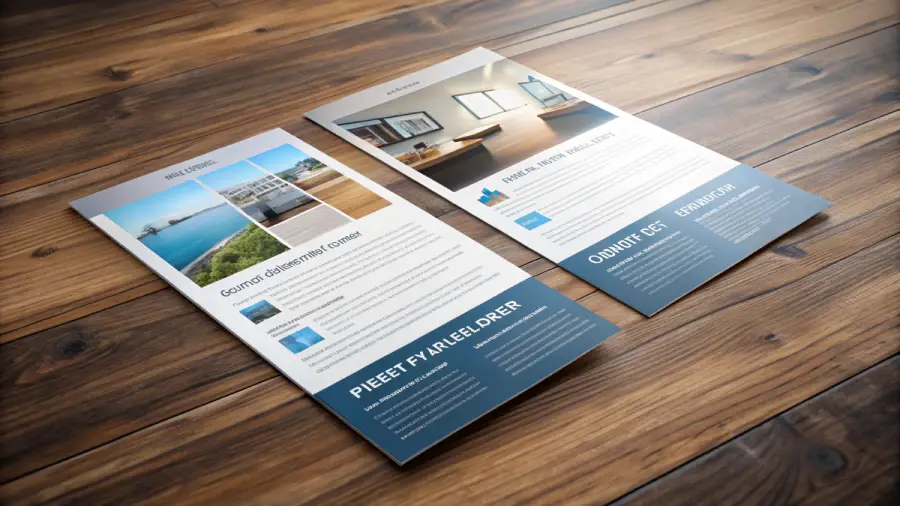
resolution for flyers dpi plays a critical role in the print production workflow and directly impacts output sharpness, image clarity, and overall print quality. When designers fail to set the correct DPI value, even a professionally designed flyer can suffer from blurriness, pixelation, or a noticeable loss of detail in the final printed result.
In flyer printing, resolution is not just a technical setting; it functions as a production standard that defines how accurately digital visuals translate onto physical materials. Print providers rely on DPI to determine whether a file can preserve fine details and meet professional printing requirements.
Incorrect DPI selection often leads to either oversized files that slow down production or low-quality outputs that fail to meet print expectations. For this reason, understanding resolution and its role in flyer printing is essential for designers and businesses.
In most professional printing environments, 300 DPI is widely accepted as the optimal standard, balancing quality and performance.
However, the final requirement may vary depending on project type, viewing distance, and campaign objectives.This cluster explores DPI in flyer printing. It breaks down its technical differences and provides a practical framework for selecting the correct resolution for different use cases.
Understanding Resolution for Flyers DPI and Print Quality
In flyer production workflows, resolution for flyers DPI serves as a core technical standard. It directly defines print sharpness, image clarity, and visible detail in the final output.
DPI (dots per inch) determines how many ink dots a printer places within one inch of printed material. This density directly influences how accurately digital artwork is reproduced on paper.
When designers fail to configure this parameter correctly, the final print can appear blurry, pixelated, or visually inconsistent with the original design.
Resolution in flyer printing functions as more than a simple technical setting. It acts as a quality control mechanism that ensures digital designs translate accurately into physical prints. Print providers evaluate DPI values to determine whether a file meets production standards and whether it can maintain fine details during the printing process. This evaluation becomes especially important in designs that include high-resolution imagery, precise typography, or detailed graphic elements.
When designers understand the role of DPI early in the design process, they structure files in a print-ready format from the beginning. This approach reduces production errors, minimizes unnecessary adjustments during prepress, and ensures a smoother transition from digital design to physical output. Proper resolution management also improves consistency across different print runs.
In professional environments, DPI selection is treated as a strategic decision rather than a basic software setting. It is defined based on project type, visual complexity, and final viewing conditions. This structured approach ensures that the printed flyer maintains both visual accuracy and production efficiency.

What DPI Level Is Standard for Flyer Printing?
In professional print production, industry standards define resolution for flyers DPI. These standards ensure consistent image clarity, sharpness, and reliable output across different printing systems. DPI directly controls how much visual detail moves from a digital file to physical material, which makes it a core concept in resolution for printing workflows.
Across most commercial printing workflows, 300 DPI is widely recognized as the standard resolution for flyer printing. This level provides an optimal balance between image quality and file performance, allowing fine details, typography, and photographic elements to reproduce accurately without unnecessary file overload. Print providers generally expect this resolution as the baseline for high-quality output.
However, DPI requirements are not fixed and depend on the nature of the project. For flyers viewed at close range—such as retail promotions, brochures, or event handouts—300 DPI is the preferred choice. It ensures maximum detail retention.
In contrast, large-format prints viewed from a distance can use lower DPI values. The human eye perceives fewer details at greater viewing distances.
Selecting an incorrect DPI level introduces two common risks. If the resolution is too low, the printed result appears blurry or pixelated. If the resolution is unnecessarily high, file sizes increase significantly without providing visible improvements in print quality, which can slow down production workflows and processing efficiency.
For this reason, professional designers treat 300 DPI as the default standard while adjusting it only when project conditions clearly justify a deviation. This approach ensures both visual quality and production efficiency remain aligned.
Resolution for Flyers DPI: DPI vs PPI Explained
In print and design workflows, resolution for flyers DPI is often misunderstood. This usually happens due to confusion between DPI, PPI, and resolution. These terms operate at different stages of the design-to-print process, and using them interchangeably can lead to incorrect file settings, reduced print quality, or unexpected output issues.
DPI (dots per inch) defines how many ink dots a printer places within one inch of printed material. This value applies directly to the physical printing process and determines how detailed and sharp the final printed flyer appears. Print devices rely on DPI to reproduce digital designs onto paper with accurate detail and clarity.
PPI (pixels per inch), on the other hand, refers to pixel density within a digital image.
It defines how many pixels appear per inch on a screen or within a design file. Designers primarily work with PPI during the creation phase. They use software such as Photoshop or Illustrator to prepare visual assets before export.
Resolution is a broader concept that encompasses both DPI and PPI. It describes the overall level of detail in an image, whether it appears on-screen or in print. Proper resolution management ensures that digital artwork transitions smoothly into physical output, especially when designers understand cmyk vs rgb basics during file preparation.
Confusion between these terms often leads to critical production errors. For example, designing with low PPI can result in poor-quality prints even if the final export uses 300 DPI. Similarly, misaligned DPI settings without considering source image quality can increase file size without improving output.
A clear understanding of these three concepts ensures consistent print quality and prevents avoidable issues during prepress and production stages.

Flyer Printing Resolution Comparison by Quality and Use Case
In selecting resolution for flyers DPI, each resolution level directly influences print quality, file size, and workflow compatibility. These differences determine suitability for high-quality flyer production. They also affect visual accuracy during printing.
300 DPI is the industry benchmark for flyer printing. It delivers an optimal balance between image sharpness and file efficiency. This level ensures accurate reproduction of design details. It also keeps file sizes manageable for production workflows.
Lower resolution levels fail to meet professional print standards. They cause visible pixelation and loss of detail. Higher resolution settings are technically possible. However, they rarely improve visual quality in flyer printing. Instead, they increase file size and processing load.
| Output Quality | File Size | Primary Use Case | Recommendation Level | |
|---|---|---|---|---|
| 72–150 DPI | Low | Light | Digital display | Not suitable for print |
| 200–250 DPI | Medium | Medium | Light or non-critical printing | Limited use |
| 300 DPI | High | Standard | Professional flyer printing | Industry standard |
Common Resolution for Flyers DPI Mistakes
In managing resolution for flyers dpi, most quality issues originate from incorrect assumptions during the de
sign phase rather than from the printing process itself. When designers fail to align DPI settings with real print requirements, the final output often suffers from blurriness, pixelation, or inconsistent image sharpness. These problems become more visible once the file moves into production and cannot always be corrected at the print stage.
In many flyer projects, DPI is treated as a default setting rather than a strategic decision. This approach creates avoidable errors because different project types require different resolution behaviors. When designers overlook these conditions, they unintentionally introduce quality risks into the workflow.
Common DPI Mistakes and Professional Corrections:
- Sets DPI based on screen display standards instead of print requirements and ignores the 300 DPI benchmark for professional output.
- Scales low-resolution images upward and introduces visible pixelation in the final printed flyer.
- Treats DPI and PPI as interchangeable values and applies incorrect configuration in design files.
- Finalizes artwork without verifying the actual embedded image resolution across all elements.
- Mixes multiple resolution levels within a single project and creates output inconsistency.
- Prioritizes file size reduction over print quality and compromises visual performance.
- Defines DPI without considering viewing distance and real-world usage context.
- Sends final files to print without performing a preflight resolution check.
When these mistakes are eliminated, DPI selection shifts from a controlled production decision and aligns with a proper image quality checklist used in professional print preparation.
How to Choose the Right DPI for Flyer Printing
In determining resolution for flyers dpi, selecting the correct DPI level depends on structured decision-making rather than default settings. Designers achieve accurate results when they align resolution choices with project requirements, visual complexity, and final print conditions. This approach ensures that the file remains both print-ready and technically stable throughout production.
In professional workflows, designers first evaluate the final use case of the flyer.
When a flyer targets close-up viewing, 300 DPI is typically the standard. This includes retail promotions, menus, and handouts. It preserves fine details and ensures sharp image reproduction. This level supports high visual fidelity and maintains consistency across different print runs.
When a flyer is intended for larger formats or distant viewing, designers may adjust DPI. This adjustment depends on perceptual requirements and viewing distance. At greater viewing distances, the human eye detects fewer details, allowing more flexibility in resolution selection without noticeable quality loss. However, this adjustment must still maintain a balance between file efficiency and output clarity.
Content type also influences DPI selection. Image-heavy designs with photographic elements require higher resolution consistency to preserve detail accuracy, while typography-focused layouts may tolerate more flexibility without visible degradation. This distinction ensures that resolution settings match the actual visual demands of the project.
In addition, designers align DPI decisions with file management practices. When resolution is defined early in the design phase, it reduces prepress corrections and helps designers choose the best export formats for stable print output.
Ultimately, selecting the right DPI becomes a controlled production decision that integrates viewing distance, design complexity, and print standards into a single coherent strategy, ensuring consistent and high-quality flyer output.
Conclusion
Overall, success in flyer & leaflet printing comes from treating the process as an integrated marketing system, not a standalone production task. Every stage, from defining campaign objectives to selecting formats, designing layouts, setting print specifications, and executing distribution, influences the final outcome. When these elements are not aligned, even high-quality designs fail to generate meaningful engagement or conversions.
Businesses must define communication goals before making operational decisions, then select the right format based on those goals. Flyers work best for fast, attention-driven messaging, while leaflets support structured and information-rich communication. This alignment improves audience understanding by delivering the right message in the right format.
Design consistency with technical print specifications strongly influences brand perception and campaign performance. Businesses must also prepare artwork with the correct print resolution to maintain sharp visuals and professional output quality throughout production.
Distribution strategy also matters because targeted delivery improves performance tracking and supports future optimization through real campaign data.
Ultimately, a structured and data-driven approach turns flyer & leaflet printing into a measurable marketing channel that supports brand growth, improves engagement, and increases conversion rates over time.